Discover the essential steps in our annual report video production guide. Elevate your corporate storytelling through effective planning and execution.
Annual Report Video Production Guide for 2026
What does a strong annual report video production process look like?
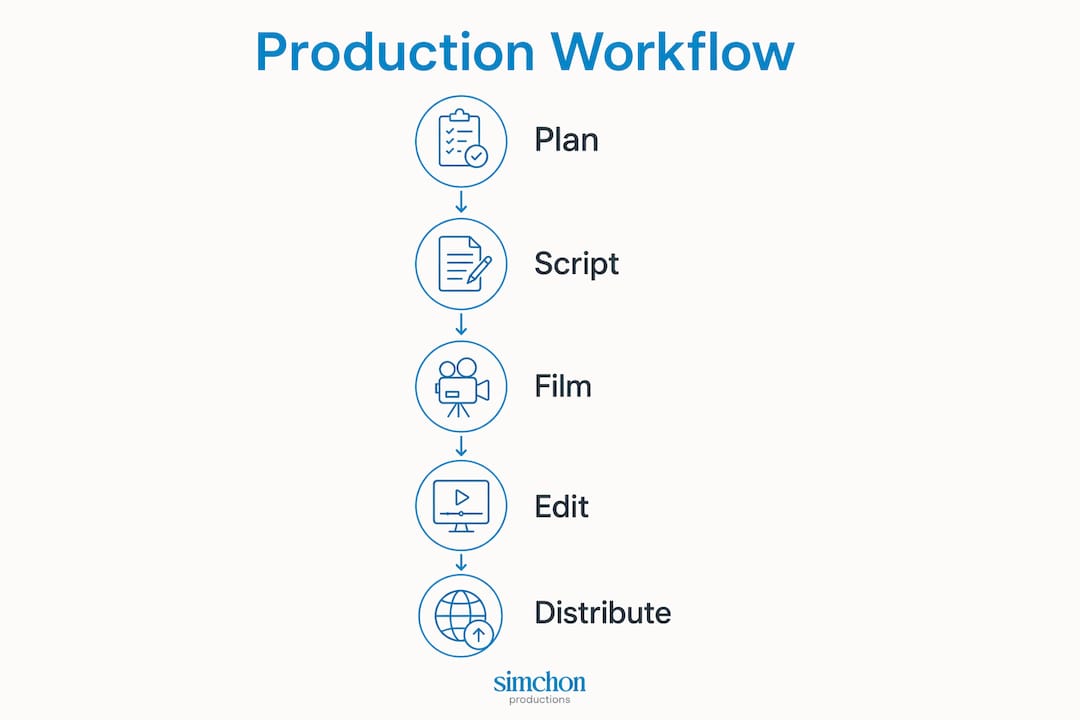
A well-executed corporate video report moves through six clear phases: planning, team assembly, scripting, filming, post-production, and distribution. Budget decisions belong at the very start, not as an afterthought once production is already underway.
Here is what each phase covers:
Planning: Define your audience, key messages, and timeline. Start sufficiently in advance before your AGM or publication date to allow for site visits and approvals.
Team assembly: Assign a project manager, director, videographer, editor, graphic designer, scriptwriter, and a legal or compliance advisor.
Scripting and storyboarding: Write a focused script that highlights the “why” behind your data, then map it visually with a storyboard.
Filming: Capture leadership interviews, B-roll at real locations, and any on-site footage that shows your organization’s work in action.
Post-production: Edit footage, add data visualizations and animation, mix audio, and complete quality control before final approval.
Distribution: Publish across your digital report hub, corporate website, social media, and email newsletters.
Security runs through every phase. Annual report shoots often happen before financial figures are public, so NDAs, secure financial workflows, and encrypted file delivery are not optional. On the equipment side, you need a 4K-capable camera, professional lighting, a quality microphone, and editing software that supports motion graphics. Tools like Lumen5, Visme, and Animaker handle data visualization when your numbers need to move.
Table of Contents
Who should be on your annual report video team?
How do you plan and structure content for an annual report video?
How do you film leadership interviews and integrate visuals effectively?
What are the best ways to distribute your annual report video?
How should you budget for an annual report video?
Why does authentic storytelling make annual report videos more effective?
Key Takeaways
Simchon Productions brings your annual report to life on screen
Who should be on your annual report video team?
Getting the team right before a single frame is shot saves you from costly rewrites and scheduling chaos later. Each role has a distinct job, and gaps show up on screen.
Project manager: Owns the timeline, coordinates approvals, and keeps finance and marketing aligned throughout production.
Director: Guides creative decisions, manages on-camera talent, and ensures the final cut matches the agreed brief.
Videographer: Operates camera and lighting on shoot days; responsible for technical quality of all footage.
Editor: Assembles the cut, integrates graphics, balances audio, and manages the revision cycle with stakeholders.
Graphic designer: Creates motion graphics, data visualizations, and branded title cards that match your report’s visual identity.
Scriptwriter: Translates complex financial and operational data into clear, engaging language that works on screen.
Legal or compliance advisor: Reviews all content before release to confirm accuracy, copyright clearance, and regulatory compliance.
Cross-functional coordination matters here. Your communications team owns messaging, your finance team validates data accuracy, and your marketing team shapes distribution. All three need to be in the room during the briefing phase, not just at the approval stage. Every crew member handling sensitive pre-release data should sign an NDA before accessing any materials.
How do you plan and structure content for an annual report video?
The biggest mistake I see is treating the video as a condensed version of the written report. It is not. The written report covers everything. The video covers the why behind the most important things.
Start by identifying your primary audience. Investors, employees, donors, and community partners each want something different from the same year’s story. Once you know who you are speaking to, narrow your key messages to three or four points that genuinely move that audience. Everything else belongs in the PDF.

Scripting follows from those messages. Write conversationally, not in the formal register of a printed report. A script that sounds natural when read aloud will always outperform one that reads well on paper. After the script is approved, build a storyboard that maps each spoken segment to a visual. This is where you decide which data points become animated graphics and which become real footage.
Data visualization is where many corporate videos lose their audience. Tools like Lumen5, Visme, and Animaker turn dense financial figures into dynamic visuals that viewers can actually absorb. Plan these sequences during storyboarding, not during the edit, or you will spend your post-production budget fixing problems that should have been solved on paper.
Pro Tip: Start planning several months before your AGM. That window gives you time for authentic location shoots, multiple rounds of script approvals, and the secure editing phase that follows once final figures are audited.
How do you film leadership interviews and integrate visuals effectively?
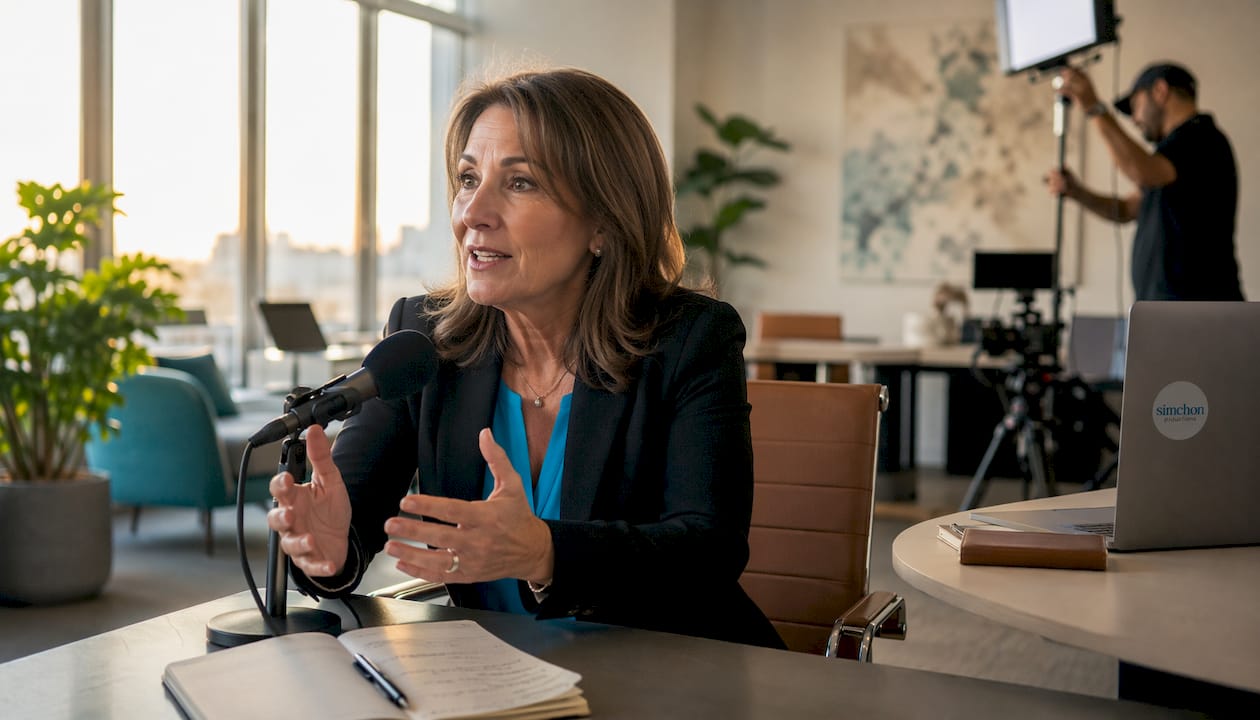
Leadership interviews are the most watched part of any annual report video. When a CEO or Chair speaks directly to camera, stakeholders read authenticity in a way that bullet points simply cannot deliver. That is especially true in difficult years, when transparency carries more weight than polish.
A few practices make the difference between a stiff corporate read and a genuine message:
Prepare, don’t over-rehearse: Give executives a clear brief and key talking points, but avoid word-for-word scripts that produce a flat delivery.
Shoot on location when possible: An office boardroom is fine, but a real project site or community space adds credibility and visual interest.
Control your audio: A lavalier microphone clipped close to the speaker will always outperform a camera-mounted mic in any room.
Light for the subject, not the room: A simple three-point lighting setup removes the flat, washed-out look that makes corporate videos feel cheap.
Plan for multiple shoot days: Senior executives have unpredictable schedules. Build buffer days into your production calendar rather than trying to capture everything in one session.
Protect your footage: Store all raw files on encrypted drives and limit access to crew members who have signed NDAs.
Pro Tip: Skip the teleprompter for leadership interviews. Instead, use a brief outline on a tablet placed just off-camera. Executives tend to speak more naturally when they are recalling key points rather than reading full sentences.
On-location B-roll is just as important as the interview itself. Footage of your team at work, your facilities, or the communities you serve gives editors the visual material they need to keep viewers engaged between talking-head segments. Plan these shoots during pre-production so you are not scrambling for coverage in the edit.
What are the best ways to distribute your annual report video?
Video clarifies complex data for stakeholders in ways that traditional PDFs cannot, and many marketers report that video has helped increase sales. For annual reports, the payoff is engagement and trust, not direct revenue. That only happens if people actually find and watch the video.
Distribution works best when the video sits at the center of a digital report hub, with the PDF available as a supporting document rather than the lead. From there:
Corporate website: Embed the full video on a dedicated annual report page where stakeholders expect to find it.
Social media: Cut shorter clips of 60–90 seconds for LinkedIn, where investor and donor audiences are most active.
Email newsletters: Embed a video thumbnail with a play button in your stakeholder email. It drives click-through rates well above plain-text links.
Internal channels: Share the video with employees through your intranet or all-staff email. Staff engagement with the annual story is often overlooked.
YouTube: Upload the full video to your organization’s channel for searchability and long-term accessibility.
Accessibility is not optional. Add closed captions to every version you publish, and confirm the video player works correctly on mobile before you go live. Track viewership, average watch time, and drop-off points using your platform’s analytics. That data tells you which sections resonated and what to adjust next year.
How should you budget for an annual report video?
Define your scope and creative goals before you open a spreadsheet. A two-minute highlight reel with motion graphics costs very differently from a full production that includes executive interviews, on-location B-roll, and a custom animated data sequence. Both are legitimate approaches. The budget follows the brief, not the other way around.
Comprehensive budgeting accounts for all three production phases and every line item within them:
Pre-production: Scriptwriting, storyboarding, location scouting, permits, and talent coordination.
Production: Crew day rates, camera and lighting equipment, location fees, travel, and executive interview scheduling.
Post-production: Editing, color grading, motion graphics, data visualization, voiceover recording, and music licensing.
Distribution: Captioning, platform hosting, and any paid promotion.
Music licensing catches teams off guard more often than any other line item. Royalty-free libraries like Artlist or Musicbed offer annual licenses that cover corporate use, but custom compositions or well-known tracks carry separate sync fees. Budget for these early. Also plan a contingency of roughly 10–15% of your total budget for revision rounds and approval delays, both of which are common when senior executives and legal teams are in the approval chain.
For teams looking to manage costs without sacrificing quality, simple video tools can reduce spending on certain post-production tasks while keeping the final product professional.
Why does authentic storytelling make annual report videos more effective?
to the written report, not replacements. The written document covers every figure. The video conveys the humanity behind those figures. That distinction changes how you write, shoot, and edit everything.
The most effective corporate report videos borrow structure from narrative storytelling: a clear beginning that establishes context, a middle that shows what happened and why it matters, and an end that points forward. Data points belong inside that arc, not listed outside it. When a statistic appears after a real story from a frontline team member or a beneficiary, it lands with weight. When it appears in isolation, it is just a number.
“An annual report is months of effort and showcases a full year of successes. Video is just another medium to share that information and those stories. People process visuals faster than they process written text, so video gives you a way to explain complex things more efficiently, making it easier for people to get it.” — Janine Harris, founder of Keyring Media, via Luminate Communications
Cinematic production values reinforce that emotional connection. Intentional color grading, clean audio, and well-composed shots signal to stakeholders that your organization takes its communications seriously. Post-production is where that signal gets amplified or lost. A rough cut with inconsistent color and muddy audio undercuts even the most compelling leadership message.
Pro Tip: Balance factual clarity with emotional resonance. Lead with a real story or a direct leadership message, then support it with data. Viewers remember the story. The data gives them confidence in it.
For organizations producing mission-driven video content, the same principles apply: lead with the human impact, then let the numbers confirm what the story already showed.
Key Takeaways
A successful annual report video requires early planning, a defined team, authentic storytelling, and a budget that accounts for all three production phases before filming begins.
Point | Details |
|---|---|
Start planning early | Begin at least three months before your AGM to allow for approvals, location shoots, and secure editing. |
Ideal video length | Keep the final cut to a few minutes to maintain engagement and convey key messages efficiently. |
Security is non-negotiable | All crew handling pre-release financial content must sign NDAs; use encrypted delivery for final files. |
Storytelling beats data recitation | Lead with a human story or direct leadership message, then support it with data visualizations. |
Simchon Productions | Simchon Productions produces cinematic annual report and corporate videos for organizations in the tri-state area, combining authentic storytelling with intentional post-production. |
Simchon Productions brings your annual report to life on screen
You now have the full production roadmap. The harder part is executing it with a team that understands both the technical side and the storytelling side. That is exactly where Simchon Productions works.
Simchon Productions is a New Jersey-based video production company that specializes in documentary-style and corporate films for organizations that need more than a talking-head video. The work is cinematic, the process is structured, and the focus is always on the emotional core of your story, not just the data behind it. For communications professionals who need a production partner that can handle executive interviews, on-location B-roll, motion graphics, and a secure pre-release workflow, Simchon Productions brings all of that under one roof. You can see the quality and range of that work in the production portfolio before you commit to a single conversation. When you are ready to plan your next annual report video, reach out to Simchon Productions to discuss scope, timeline, and budget.