Guide for nonprofits to turn an internal case for support into a donor facing video. Includes three budget tiers and a 4–6 week timeline.
Nonprofits: Case for Support Video Made From Your Internal Case
A case for support video is a short film that turns your organization’s internal case for support into a story donors can watch, feel, and act on. It works best as a donor-facing adaptation of your written case, not a replacement for it. The first move is simple: pull your script directly from the internal document your team already has, so every line traces back to real language your board and staff approved.
TL;DR:
Videos should focus on answering one core donor question clearly, tailored for the specific audience, and based on language from the internal case for support.
Short clips of 15 to 60 seconds perform best in early campaign stages or for stewardship, while longer videos of 3 to 8 minutes suit website or major event use.
Always lock down permissions with signed release forms before filming, and track every subject’s approval to prevent legal issues later.
Test videos with five to ten real donors beforehand to gauge emotional and informational impact, improving conversion rates after launch.
Spend production budget wisely by reserving cinematic quality for multi-year cornerstone videos, and apply simpler formats for quick social or thank-you messages.
Table of Contents
What Is a Case for Support and How Is It Different From a Case Statement?
Why Use Video for Your Case for Support and Which Campaign Stages Fit?
How Do You Turn Your Internal Case Into a Donor-Facing Video?
What Length and Format Should Your Case for Support Video Be?
Script Templates and Two Ready-to-Use Video Scenarios
How Do You Test a Case for Support Video Before Launch?
What Should Fundraisers Prioritize When Commissioning a Case for Support Video?
The Real Gap in How Nonprofits Approach Case for Support Video
Ready to Turn Your Case for Support Into a Film?
Sources
FAQ
What Is a Case for Support and How Is It Different From a Case Statement?
A case for support is the internal, strategic master document your organization uses to justify why donors should give and why now. It typically runs 15 to 30 pages and covers mission, need, strategy, programs, and financial goals in full detail. Most development officers never hand this document to a donor. It’s the source material, not the pitch.
A case statement is different. It’s the shorter, external version built from the internal case, tailored to a specific audience or campaign moment. A grant proposal, a one-page leave-behind, and a video script are all case statements. Each one pulls select language, numbers, and stories from the internal case and repackages them for a specific reader or viewer.
This distinction matters more than most fundraising teams realize. The internal case is a living working document that staff update as strategy shifts, and it should stay secure since it often includes budget details, staffing plans, and donor prospect information not meant for public view. Your video script draws from it, but the full document stays internal.
Here’s what separates the two documents in practice:
Internal case for support: Full financial detail, internal strategy, staff and board use only, 15 to 30 pages.
External case statement: Trimmed to the audience, public-facing, often two pages or shorter.
Case for support video: A visual and emotional adaptation of the case statement, built for a specific runtime and platform.
A common mistake is treating the video as a standalone brochure instead of pulling it from this hierarchy. When a script gets written from scratch, without checking it against the internal case, it tends to drift from your organization’s actual strategic priorities. The fix is straightforward: before anyone touches a camera, someone on your team should extract the two or three sentences from the internal case that answer “why us, why now,” and hand those sentences to the scriptwriter as the spine of the video.
Why Use Video for Your Case for Support and Which Campaign Stages Fit?
Video works because it compresses your written case into something a donor experiences in under three minutes instead of reading in twenty. Text asks a donor to imagine your mission. Video shows them a child in your after-school program, a nurse in your clinic, a building your campaign will fund. That difference in cognitive effort changes how much of your message actually lands.
Short-form clips, running 15 to 60 seconds, and personalized thank-you videos tend to produce strong donor engagement when they’re placed at the right moment in the donor relationship. A generic mission film sent to a first-time prospect does different work than a two-minute personalized update sent to a five-year donor. Matching video type to campaign stage is where most organizations either win or waste their production budget.
Statistic Callout: Short video clips (15 to 60 seconds) and personalized stewardship videos consistently outperform longer generic content when timed to fit a donor’s specific stage in the giving cycle.
Here’s how video type maps to campaign stage:
Pre-campaign: 15 to 30 second teasers, phone-shot or lightly edited, used to build anticipation on social channels.
Campaign kickoff: A cinematic 3 to 5 minute hero film that establishes urgency and asks for the lead gift.
Mid-campaign momentum: 60 to 90 second progress updates showing construction, program growth, or milestone hits.
Stewardship: Personalized 30 to 60 second thank-you clips, often shot simply, sent directly to individual donors.
You don’t need a cinematic budget for every stage. Phone footage works fine for a quick momentum update or a board member’s personal thank-you message. Save the cinematic approach, with proper lighting, a director, and a real story arc, for the kickoff film and the pieces that will run for years on your website and in major-gift meetings.
How Do You Turn Your Internal Case Into a Donor-Facing Video?
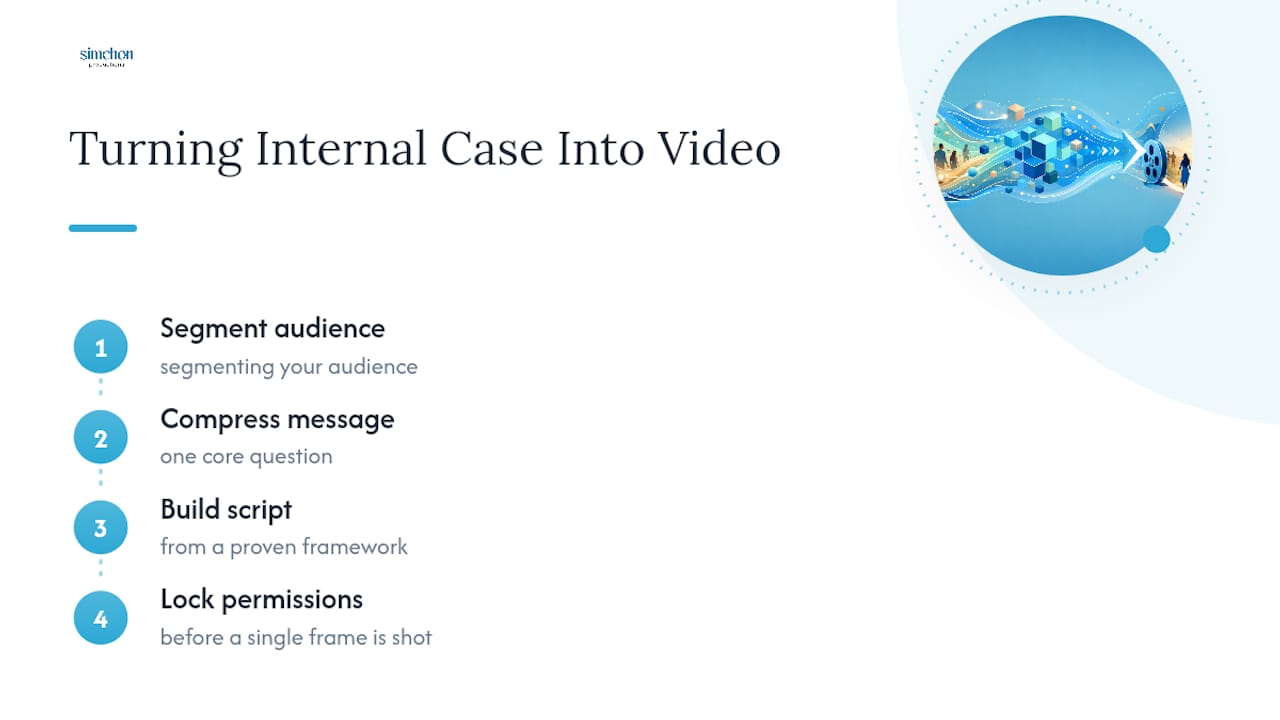
You turn an internal case into a video by segmenting your audience, compressing your message to one core question, building a script from a proven framework, and locking down permissions before a single frame is shot. This is where most projects either stay on budget and on message, or spiral into reshoots and legal headaches.
1. Segment your audience and pick one question
Every video needs to answer one donor question clearly. Trying to answer five questions in ninety seconds means answering none of them well. Before scripting, decide who this specific video is for: a first-time prospect, a lapsed donor, a board member being asked to increase their gift, or a foundation program officer.
Ask your team: what’s the single question this donor is asking right now? Common versions include “why should I trust this organization with a major gift?” or “what will my money actually build?” Write that question at the top of your script document and check every line against it. If a line doesn’t help answer that question, cut it.

2. Build the script from a tested framework
A strong case for support answers “why should I give my money to you, and why now?” Many organizations use a seven-part structure covering mission, need, vision, strategy, programs, impact, and investment. You won’t use all seven sections in a 90-second video, but the framework tells you what order to move through.
For a short cut, allocate your time like this:
Script Beat | Short Cut (90 sec) | Long Cut (5 min) |
|---|---|---|
Hook and mission | 10 sec | 30 sec |
The need | 15 sec | 60 sec |
Impact and proof | 30 sec | 90 sec |
Vision forward | 20 sec | 60 sec |
The ask | 15 sec | 30 sec |
Four elements recur in every strong case: an urgent message, storytelling backed by real evidence, credibility, and a clear next step for the viewer to take. Your script should hit all four, in that order, no matter the runtime.
3. Choose your story elements
The strongest case for support videos combine three ingredients: a beneficiary or program participant telling their own story, a leader from your organization speaking with authority, and visual proof of impact through B-roll and data overlays. Testimonials should come from real participants, not staff paraphrasing on their behalf. Our guide to mission story video best practices covers how to interview subjects without putting words in their mouths.
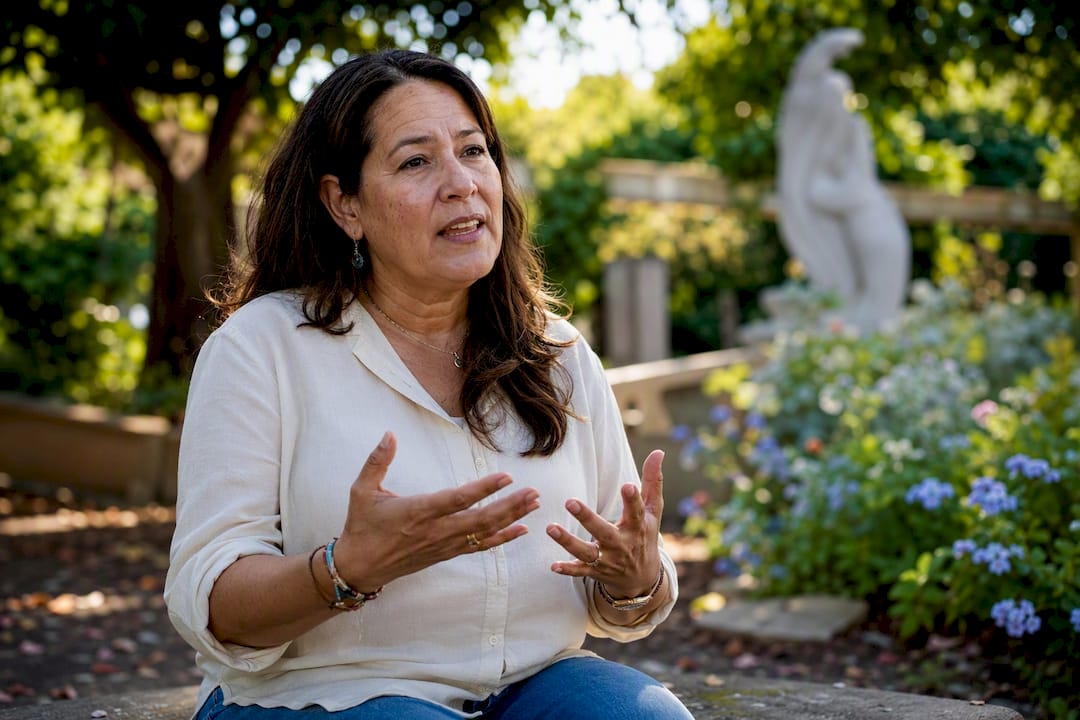
Leader voice matters too. A two-line statement from your executive director, delivered with genuine conviction, does more for credibility than a polished narrator reading a script. Keep it short. Fifteen to twenty seconds is plenty.
4. Lock down permissions before you shoot
Every person who appears on camera, speaks, or is named needs a signed release form before the footage gets used publicly. This applies to beneficiaries, staff, board members, and any minors featured, with parent or guardian signatures required for anyone under 18. Store these forms somewhere secure and organized, ideally the same secure system where you keep your internal case for support, since both contain sensitive personal information.
Build a simple release tracking sheet before production day. List every subject’s name, the date they signed, and where the signed copy lives. This takes twenty minutes and saves you from a legal scramble months later when someone asks to pull their story from your website.
5. Pick your production tier
Three budget tiers cover almost every nonprofit video need:
DIY: Phone footage, free editing software, best for social teasers and quick stewardship clips. Cost is near zero; turnaround is same-day to one week.
Hybrid: A freelance videographer for interviews and key shots, combined with stock B-roll and simple graphics. Turnaround runs two to four weeks.
Cinematic: A full production team handling script, filming, lighting, and post. Best for kickoff films and pieces meant to last multiple years. Turnaround runs four to eight weeks depending on scope.
Pro Tip: Capture at least three times the footage you think you’ll need during a single shoot day. A well-planned shoot for one hero film can also yield three to five social cuts and an email-friendly version, which means you’re not paying for a new production every time you need a new format.
6. Prioritize post-production for accessibility
Captions are not optional. A large share of video views happen with sound off, especially on social platforms and in email previews, so your message needs to work as text on screen. Beyond captions, plan for at least one 16:9 version for web and email, one 1:1 or 9:16 cutdown for social, and one 60 to 90 second version pulled from your longer cinematic piece.
What Length and Format Should Your Case for Support Video Be?
The right length depends entirely on where the video will run. A social teaser needs 15 to 30 seconds to hold attention. An email or landing page video works best at 60 to 180 seconds. A cinematic hero film for your website or a gala screening can run 3 to 8 minutes, since that’s a setting where viewers have chosen to engage.
Attention drops fast in the first ten seconds of any video, so whatever runtime you pick, front-load your strongest visual or statement. Don’t save your best moment for the end of a 90-second clip. Most viewers won’t get there.
Here’s how format, length, and use case line up:
Format | Typical Length | Best Use |
|---|---|---|
Microclip | 15 to 30 sec | Social media teasers, campaign countdowns |
Testimonial | 60 to 90 sec | Email campaigns, landing pages, one-to-one donor sends |
Progress update | 60 to 180 sec | Mid-campaign momentum, newsletters |
Hero film | 3 to 8 min | Campaign kickoff, gala screening, website homepage |
Distribution matters as much as the video itself. Host your primary hero film on YouTube or Vimeo and embed it on your website, since native hosting on your own site alone often means slower load times and no search discovery. For email campaigns, use a static thumbnail with a play button linking out to the hosted video rather than trying to embed the file directly, since most email clients strip out embedded video anyway.
For one-to-one donor sends, personalized video tools let you drop a major donor’s name into a thank-you message. These don’t need cinematic production. A well-lit phone video with genuine warmth from your executive director often outperforms something overproduced. Save the polished cinematic work for the pieces that will run repeatedly across a multi-year campaign, a strategy our capital campaign video guide covers in more depth. At events, run your hero film on a loop before the program starts, and cue a shorter cutdown for the ask moment during the live program itself.
Script Templates and Two Ready-to-Use Video Scenarios
A 60 to 90 second script outline gives your team or your production vendor a starting structure instead of a blank page. Here’s a beat-by-beat framework you can adapt:
Hook (0 to 10 sec): Open on a striking visual or a single sentence from a beneficiary. No logo, no narration yet.
Establish the need (10 to 25 sec): State the problem in concrete terms. Use one statistic or one specific story, not both.
Introduce your organization (25 to 35 sec): A brief leader statement or narration establishing who is solving this problem and how.
Show impact (35 to 65 sec): Testimonial footage, program visuals, and one data point overlaid on screen.
Vision forward (65 to 80 sec): What happens next if this campaign succeeds. Keep this future-focused and specific.
The ask (80 to 90 sec): A direct, clear call to action with a name, link, or QR code on screen.
Map your shot list to these beats before production day:
Beat 1 hook: wide establishing shot or close-up of the beneficiary’s face.
Beat 2 need: B-roll of the problem in context, plus one clean data overlay graphic.
Beat 3 introduction: leader interview setup, medium shot, natural light or soft key light.
Beat 4 impact: interview cutaways, program B-roll, second data overlay.
Beat 5 vision: architectural renderings, construction footage, or forward-looking B-roll.
Beat 6 ask: text card or lower-third graphic with your donation link.
Scenario one: capital campaign kickoff. A university foundation is launching a $40 million campaign for a new science building. The team produces a 5-minute cinematic hero film for the kickoff gala, featuring the dean, two current students, and renderings of the new facility. They also cut a 60-second version for email to alumni who couldn’t attend, and a 15-second teaser that ran on social media for two weeks before the announcement.
Scenario two: stewardship thank-you. A community food bank wants to thank donors who gave during a holiday matching campaign. Instead of one generic video, the development team records a 30-second personalized thank-you from the executive director, then uses a simple video tool to insert each donor’s first name and gift amount before sending it individually. Production took one afternoon, and the videos went out within a week of the campaign closing.
How Do You Test a Case for Support Video Before Launch?
You test a case for support video by showing it to a handful of real donors before you launch it broadly, watching their reactions, and asking specific questions about clarity and emotional impact. Skipping this step is how organizations end up with a polished video that quietly confuses or bores the exact people it was meant to move.
Feasibility testing for video works the same way feasibility studies work for major gift campaigns. Testing messaging with a handful of major donors before a broad launch reduces risk and improves how well the video converts once it’s public. Set up small screenings, three to five people at a time, and ask direct questions: What did you think this video was asking you to do? What part stuck with you? What felt confusing?
Statistic Callout: Organizations that test messaging with a small group of major donors before a full campaign launch tend to see stronger conversion once the video reaches the broader donor base, because early feedback catches confusing language before it spreads.
After launch, track these metrics to see if your video is doing its job:
View and completion rate: What percentage of people who start the video finish it.
Click-to-donation rate: How many viewers click through to your giving page after watching.
Conversion lift: Whether donation pages with video convert at a higher rate than those without.
Average gift change: Whether gifts from video-driven traffic run higher or lower than your baseline.
Run small experiments rather than betting your whole campaign on one version. Send half your email list a version with the video embedded and half without, then compare click-through rates. Try two landing page layouts, one with the video above the donate button and one below, and see which converts better. These tests take a week or two and cost nothing beyond the time to set them up, but they tell you exactly where to put your best asset.
What Should Fundraisers Prioritize When Commissioning a Case for Support Video?
Simchon Productions approaches every nonprofit video the same way: figure out exactly who the video needs to move, then build the story and the craft around that person’s emotional response. That audience-first framework, paired with cinematic lighting and sound, is what separates a video that gets watched to completion from one that gets skipped after five seconds. Our piece on why cinematic video moves donors to give walks through the mechanics behind that emotional response in more detail.
A few production shortcuts are worth knowing before you commission anything. Shoot more B-roll than you think you need. A single well-planned shoot day can produce a hero film, three social cutdowns, and an email version, which saves you from paying for separate shoots later. Don’t skip release forms, even for a quick phone-shot clip. And don’t let a script go into production without checking every line against your internal case for support.
Before you commission a vendor, work through this checklist:
Internal case for support is finalized and approved by leadership.
One core donor question is identified for this specific video.
Interview subjects are selected and release forms are ready.
Budget tier is chosen: DIY, hybrid, or cinematic.
Distribution plan exists before filming starts, not after.
Pro Tip: A realistic cinematic timeline runs four to six weeks from kickoff call to delivered file, so start production at least two months before your campaign launch date to leave room for a round of donor testing.
The Real Gap in How Nonprofits Approach Case for Support Video
Most fundraising advice on this topic treats video as a checkbox: get one made, post it, move on. That’s backwards. The internal case for support already contains every idea a video needs. The failure point isn’t lack of creativity. It’s skipping the step where someone sits down with the internal document and pulls out the exact language, the exact numbers, and the exact story beats that already survived board review.
I’d also push back on the instinct to make every video cinematic. A stewardship thank-you shot on a phone in an afternoon can outperform an expensive production if it feels personal and arrives at the right moment. Save your production budget for the pieces that carry weight for years: the kickoff film, the capital campaign centerpiece, the video a major donor watches before writing a six-figure check. Spend less time debating video length and more time deciding which single question each video needs to answer.
The organizations that get this right test before they launch. They put a rough cut in front of five real donors and watch their faces. That’s a cheap step that most teams skip, and it’s the one most likely to save a campaign from a video that looks good but says nothing useful.
— Tzvi Simchon
Ready to Turn Your Case for Support Into a Film?
Most nonprofits already know their story. What they don’t have is a production partner who treats the internal case for support as the actual script source, instead of starting from a blank page and guessing what donors want to hear. Simchon Productions builds nonprofit videos this way for organizations across New Jersey and the New York City tri-state area, from capital campaign hero films to personalized stewardship clips.
A typical engagement starts with a working session to pull your core message from the internal case, followed by scripting, a cinematic shoot day built to capture enough footage for multiple cutdowns, and post-production that delivers your hero film alongside social and email versions. Most projects run four to six weeks from kickoff to final delivery. If your campaign has a launch date on the calendar, visit Simchon Productions to talk through timing and get a project quote before that date locks in.
Sources
Case for support: Use it to drive all your fundraising efforts — Campaign Counsel
Nonprofit Case for Support: How to Write One — Giddings Consulting
Nonprofit Case for Support: What It Is and How to Write One — Donorbox
4 Elements of a Compelling Nonprofit Case for Support — Blackbaud
FAQ
Can You Provide an Example of a Case for Support?
A university capital campaign case for support might state the need for a new science building, cite enrollment growth in STEM programs, describe the building’s planned impact on research capacity, and close with a specific funding goal and naming opportunity. That written case then becomes the source for a 5-minute kickoff video and shorter email cutdowns.
What Should Be in a Case for Support?
A strong case for support includes an urgent statement of need, evidence of impact backed by real stories or data, proof of organizational credibility, and a clear next step for the reader or viewer to take, four elements that show up consistently in effective case documents. Many organizations structure this around a seven-part framework covering mission, need, vision, strategy, programs, impact, and investment.
What Is the 80/20 Rule in Fundraising?
The 80/20 rule in fundraising generally refers to the idea that a large share of total dollars raised often comes from a small share of donors, typically major gift contributors. This is one reason feasibility testing with a handful of major donors matters more than testing with a broad, low-dollar audience before launching a video campaign.
How Long Should a Case for Support Video Be?
A case for support video should run 15 to 30 seconds for social teasers, 60 to 180 seconds for email and landing page use, and 3 to 8 minutes for a cinematic hero film shown at a kickoff event or hosted on your website. The right length depends on where the viewer encounters it and how much attention that setting naturally provides.
Do I Need Signed Releases for Everyone in the Video?
Yes, every person who appears on camera or is named needs a signed release form before you can use the footage publicly, including parent or guardian signatures for anyone under 18. Store these forms in the same secure system where you keep your internal case for support, since both contain sensitive personal information.