Production First playbook for advancement teams: checklists, budgets, KPIs, captions, and 48–72 hour turnaround for university donor videos.

How Advancement Teams Can Produce University Donor Videos
Advancement teams should build a donor video program around four core formats: personalized thank-you clips, student gratitude montages, donor spotlight interviews, and impact updates. Keep thank-you videos under 90 seconds and spotlight or impact pieces between 2 and 4 minutes. One giving-day study found personalized video messaging drove a 44% increase in gifts, which is why Simchon Productions builds every donor video around clear audio, real captions, and a stewardship-first message instead of another ask.
TL;DR:
Personalized thank-you videos should be sent within 2 to 3 days of the gift and kept under 90 seconds to maximize impact for first-time and mid-level donors.
Donor spotlight and impact update videos require 2 to 4 minutes, ideally shot with professional gear and strategically distributed through targeted landing pages.
A recurring content library, clear messaging, and consistent cadence improve long-term results, with budget ranges from $8,000 for basic programs to over $95,000 for flagship initiatives.
Including captions, transcripts, and accessible formats is essential for broader reach, while personalization can be scaled with templated frameworks and, optionally, AI tools.
Most effective videos focus on gratitude and impact, avoiding direct asks, and should be integrated into broader campaign timelines aligned with key fundraising moments.
Table of Contents
What donor videos should we actually make?
1. Personalized Thank-You Message
2. First-Time Donor Welcome
3. Student Gratitude Montage
4. Donor Spotlight Interview
5. Impact Reveal
6. Milestone Marker
7. Recognition-Event Recap
8. Giving-Day Hourly Acknowledgment
When should we send donor videos and who should appear on camera?
What does a realistic donor video budget look like?
How do we distribute and personalize videos without losing authenticity?
What should we measure, and how do we make donor videos accessible?
How does Simchon Productions approach donor recognition video work?
What legal and ethical rules apply to donor video content?
What makes a strong call to action in a donor video?
How should donor videos fit into a broader fundraising campaign?
Donor Videos for University Fundraising: What Actually Moves the Needle
Ready to Build Your Donor Video Program?
Sources
FAQ
What donor videos should we actually make?
The eight formats below cover almost every stewardship moment a university development office needs, from the day a gift lands to the week it gets celebrated at an event. Each one has a job to do, a length that fits how donors actually watch, and a production approach that matches the budget you have.
1. Personalized Thank-You Message
A staff member or student records a short, direct thank-you naming the donor and the fund they supported. Keep it to 30 to 60 seconds. This fits every donor tier, but it matters most for first-time and mid-level donors who rarely hear from the university outside a mailed letter. Shoot it on a phone with a clip-on mic. Send it by email with a personalized landing page, not a bulk social post.
2. First-Time Donor Welcome
New donors need to know their gift landed and mattered. A CASE award-winning first-time donor thank-you video built for UAlbany used short student clips instead of one long speech, and it pulled strong email click and watch numbers. Aim for 60 to 90 seconds, shot with a basic mic kit, and send it within a week of the gift posting.
3. Student Gratitude Montage
Stitch together short clips of scholarship students saying thanks in their own words. This format works best for endowed scholarship donors and annual fund contributors who want to see where their money goes. Run it 90 seconds to 2 minutes. Distribution works well through email and on a dedicated giving-day landing page.
4. Donor Spotlight Interview
A sit-down interview with a longtime or major donor explaining why they give, paired with footage of the program they fund. This is the flagship format for major and legacy donors. Budget 2 to 4 minutes, shoot with a real camera and lighting kit, and post it on your donor wall or recognition microsite, an approach DonorsWall recommends for scaling recognition into an ongoing program rather than a one-off project.
5. Impact Reveal
Show the donor exactly what their gift built: a renovated lab, a new scholarship cohort, a research grant outcome in a detailed donation impact report. This fits mid-level and major donors who gave toward a specific project. Keep it to 2 to 3 minutes and distribute through a quarterly stewardship email.

6. Milestone Marker
Trigger a short video when a donor crosses a lifetime giving threshold, like $10,000 or $100,000 cumulative. A 60 to 90 second piece featuring the dean or president works for every tier once the threshold hits. Send it as a personalized 1:1 video rather than a mass email.
7. Recognition-Event Recap
Capture your donor gala, scholarship luncheon, or building dedication and cut a 2 to 3 minute recap for donors who could not attend. This works across all tiers and doubles as content for next year’s invitation. Shoot with a two-camera setup and post it to your alumni portal and social channels.

8. Giving-Day Hourly Acknowledgment
During a 24-hour giving day, send short 15 to 30 second video acknowledgments as gifts come in, timed to specific hours or challenge matches. This fits every tier but drives the most excitement with annual fund donors watching their gift trigger a match. Pre-record templated segments and drop in names live.
When should we send donor videos and who should appear on camera?
Send thank-you videos within 48 to 72 hours of a gift, schedule impact updates quarterly, and trigger milestone videos automatically when a donor crosses a lifetime giving threshold. Timing and casting both affect whether a donor actually watches.
Cadence should scale with gift size:
Starter and annual fund donors: one light-touch video per quarter, often a shared montage rather than 1:1 personalization.
Mid-level donors: a personalized thank-you at the time of the gift, plus one spotlight or impact update per year.
Major and legacy donors: an immediate personalized message within 48 hours, followed by periodic spotlight interviews and milestone videos as giving grows.
Who appears on camera matters as much as timing. A scholarship student should thank the donor who funds their tuition. The president or a dean should appear for major gifts and naming opportunities. A gift officer works best for personal, relationship-driven outreach where the donor already knows that staff member by name. Matching the messenger to the relationship is what makes a thank-you feel earned instead of templated.
What does a realistic donor video budget look like?
A starter donor video program runs $8,000 to $18,000 a year, while a flagship program with dozens of personalized pieces can run past $95,000. Video recognition programs generally scale from roughly $8,000 to $250,000 or more annually, with production eating up 65% to 75% of that budget and distribution or operations taking the rest.
Before any camera rolls, run through this checklist:
Define the objective (thank, welcome, update, or celebrate)
Identify the audience and donor tier
Write a short script or interview outline
Build a shot list, including B-roll needs
Pack audio gear (lav mic or shotgun mic, not the camera’s built-in mic)
Plan lighting, even a simple three-point setup
Capture B-roll of campus, students, or the funded program
Add captions and a full transcript
Choose a hosting URL or landing page
Design a branded thumbnail
Set a distribution plan by channel
Add measurement tags for opens and clicks
Turnaround varies by format. A phone-shot thank-you takes 1 to 3 business days. A polished donor spotlight with professional lighting and editing takes 2 to 6 weeks.
Budget Tier | Annual Range | What It Supports |
|---|---|---|
Starter | $8,000–$18,000 | Templated thank-yous, one spotlight |
Mid | $8,000 to $18,000 | Quarterly spotlights, giving-day package |
Major | $18,000 to $95,000 | Full recognition series, event recaps |
Flagship | $95,000+ | Ongoing content library, multiple annual shoots |
Pro Tip: Keep rolling for two or three extra minutes after the formal interview ends. Donors relax once they think the camera is off, and that’s usually when you get the most honest, usable footage.
How do we distribute and personalize videos without losing authenticity?
Send high-touch videos through personalized landing pages and text messages, and save social media for public recognition moments. Branded landing pages and direct video distribution routinely outperform posting a video only to social channels for watch-through and conversion.
Channel choice depends on the donor and the moment:
Embedded video with a thumbnail link: best for email thank-yous, since it drives a click instead of relying on autoplay.
SMS: works for major donors who expect a fast, personal touch.
Social media: fits public recognition, like naming a building or celebrating a giving-day total.
Lobby or event displays: good for donor walls and campus visits where the audience is already in the building.
To personalize at scale without burning your production budget, build a templated frame once, then swap in student clips, donor names, and thumbnail overlays for each version. Some teams now use AI-assisted name and voice personalization to generate greetings at volume, which works well if your CRM data is clean and donors have consented to being featured. Before scaling any personalization workflow, run a data quality check and confirm your CRM fields match what the video template needs.
What should we measure, and how do we make donor videos accessible?
Track open rate, click-to-watch rate, watch-through rate, reply rate, and next-gift uplift, since these five numbers tell you whether a donor video actually changed behavior. Programs using personalized video landing pages have reported watch rates above 60% alongside stronger reply rates than plain email thank-yous, and watch-through depending on channel can range from 15% to 75%.
Accessibility is not optional. Add accurate captions on every video, since many donors watch on mute in a lobby or on a train, a habit ThankView’s own product guidance flags directly. Include a full transcript, export a mobile-optimized file, design a clear thumbnail, and level your audio so no line gets lost.
Test in small batches. Try two subject lines or two senders and measure which one gets more replies, since a donor reply is often the clearest sign a video actually landed.
How does Simchon Productions approach donor recognition video work?
Simchon Productions builds every donor video around four steps: audience framing, story selection, a tight shoot plan, and focused post-production that protects the emotional beat instead of burying it in effects. That order matters more than any single camera or software choice.
Audience framing: identify whether the video needs to reach a first-time donor, a major gift prospect, or a full mailing list before a single shot is planned.
Story selection: pick the one moment or student voice that carries the message, instead of trying to cover every talking point.
Shoot plan: lock the shot list and audio gear in advance so the interview day runs fast and the subject stays relaxed.
Focused post-production: cut for pace and keep captions accurate, since a rushed edit undoes a strong interview.
A practical habit worth borrowing directly: keep the camera rolling a few extra minutes after the formal interview ends, since that is usually when the most honest footage happens. Simchon Productions applies the same cinematic storytelling approach across brand films and nonprofit work, which is why donor pieces built this way tend to hold attention longer than a straight talking-head clip.
What legal and ethical rules apply to donor video content?
Get written consent before featuring any donor, student, or staff member on camera, and confirm that consent covers every channel you plan to use, including social media and future fundraising appeals. A signature for an email video does not automatically cover a paid social ad.
Student privacy adds another layer. Under FERPA, a university generally needs student consent before naming a specific student in connection with financial aid or scholarship status in public-facing content. Work with your registrar or general counsel’s office to confirm your release forms actually cover the way you plan to use the footage, not just the fact that footage was recorded.
Donor privacy matters just as much. Some donors give anonymously or ask that their gift size stay private. Never state a specific dollar amount on camera unless the donor has explicitly agreed to it in writing, and keep a record of who has and has not consented to public recognition.
Honesty in editing matters too. Do not splice a donor’s words out of context to imply a stronger endorsement than they gave, and do not use stock footage that misrepresents your actual campus or students. A donor who later feels misrepresented is a harder relationship to repair than the one you started with before the gift.
Finally, keep a simple internal log of consent status per person featured, and review it before every re-post or re-edit. Consent that was fine for a single event recap is not automatically fine for a three-year-old video reused in a new campaign.
What makes a strong call to action in a donor video?
Skip the ask. Fundraising professionals generally agree that year-end and stewardship videos work best when they focus on gratitude and impact rather than requesting another gift, and that restraint is what makes a thank-you video feel like a thank-you instead of a pitch.
The call to action in a donor video should almost always point toward connection, not conversion. Good options include inviting the donor to a campus event, asking them to update their contact preferences, or pointing them to a page where they can see more student stories. Save the direct ask for annual fund or campaign emails, not the thank-you video itself.
When a video does need a soft ask, such as an impact update tied to an active campaign, place it at the very end, after the story has landed. State it plainly: “If this story moved you, here’s how to keep it going,” paired with a single link. Do not stack multiple asks or buttons, since a donor watching on a phone will not scroll through three options.
How should donor videos fit into a broader fundraising campaign?
Donor videos work best as one piece of a campaign timeline, not a stand-alone project dropped in whenever staff have time. Map your video calendar against your campaign’s key moments: launch, midpoint update, giving-day push, and close.

A quarterly cadence, paired with a running content library of B-roll and student interviews, produces better long-term results than a single video built for one appeal, a program mindset DonorsWall’s own guidance backs directly. Reusing existing footage for a new campaign segment saves budget and keeps your visual style consistent across a multi-year effort. For a deeper look at how video moves specific fundraising numbers, the case for video’s impact on university fundraising breaks down where it earns its place in a campaign plan. Coordinate with your annual fund, major gifts, and communications teams early, since a video shot for one appeal often gets a second life in a stewardship report or a board presentation later.
Donor Videos for University Fundraising: What Actually Moves the Needle
Most advancement offices treat donor video as a one-off deliverable instead of a running program, and that is the single biggest gap between what works and what most schools actually do. A video shot for one giving day, then shelved, wastes the B-roll, the consent forms, and the momentum you built getting a student on camera in the first place.
The conventional advice oversells production polish and undersells cadence. A phone-shot thank-you sent within 48 hours will outperform a beautifully lit spotlight sent six weeks late, every time, because timing carries more weight than lighting in a stewardship moment. Teams that treat video as infrastructure, meaning a content library, a shot list template, and a standing budget line, get more mileage per dollar than teams that fund a single flagship piece once a year.
If you take one thing from this playbook, prioritize consent tracking and captions before you upgrade your camera. Those two things protect the donor relationship and the accessibility of the message, and neither one costs much to fix.
— Tzvi Simchon
Ready to Build Your Donor Video Program?
Simchon Productions gives advancement teams a full-service alternative to piecing together donor videos in-house with borrowed equipment and a communications staffer’s spare afternoons. Unlike a DIY approach, Simchon Productions handles the entire process, from story selection through captioned, mobile-ready delivery, so your team gets a finished donor spotlight or giving-day package without pulling staff off other campaign work.
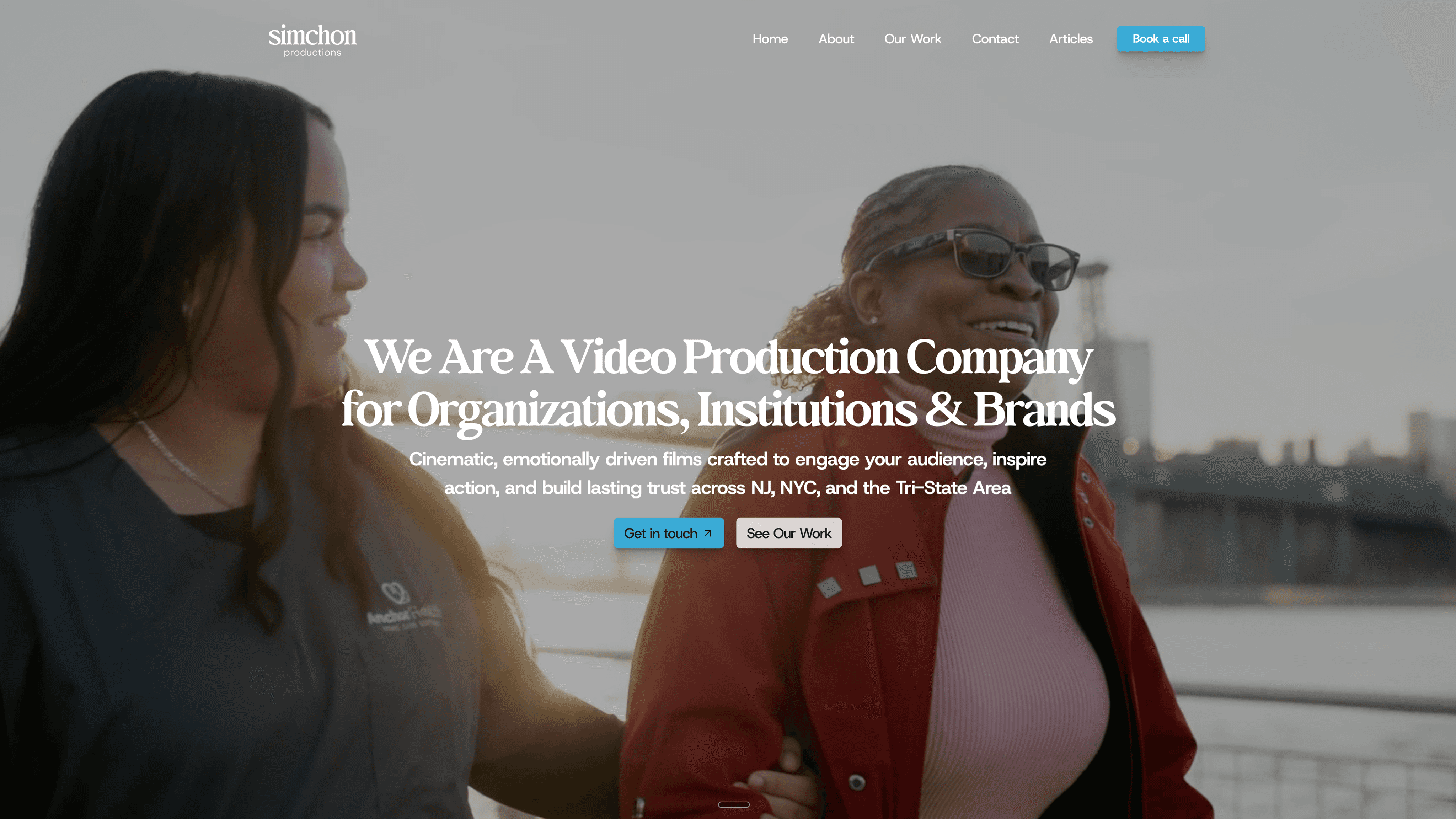
Services built for university advancement offices include donor recognition videos, donor spotlight interviews, and giving-day video packages sized to your budget tier. On a first call, expect a walk-through of sample deliverables from past institutional and nonprofit work, a rough production timeline, and a ballpark budget tier based on your scope. Review past donor and institutional work in the Simchon Productions portfolio, then reach out through Simchon Productions to scope your next donor video project and get a timeline that fits your next campaign milestone.
Sources
Butler University: 44% more giving-day donations with personalized video (Gravyty case study)
How video strengthens donor recognition programs (NonprofitPoint)
Donor spotlight video ideas for schools & universities (DonorsWall)
FAQ
How long should a university donor thank-you video be?
Keep personalized thank-you videos between 30 and 90 seconds, and reserve 2 to 4 minutes for donor spotlight or impact update videos.
How soon after a gift should we send a thank-you video?
Send a personalized thank-you video within 48 to 72 hours of the gift posting, since a fast response has more impact on the donor relationship than added production polish.
Do donor videos need captions?
Yes. Accurate captions are essential because many donors watch video muted on a phone or in a public space, and skipping captions cuts off a large share of your audience.
Should a donor video include a direct ask for another gift?
No. Donor thank-you and stewardship videos work best when they focus on gratitude and impact rather than another ask, with any soft call to action placed at the very end and limited to one clear link.